

Unified Client and Vehicle Database
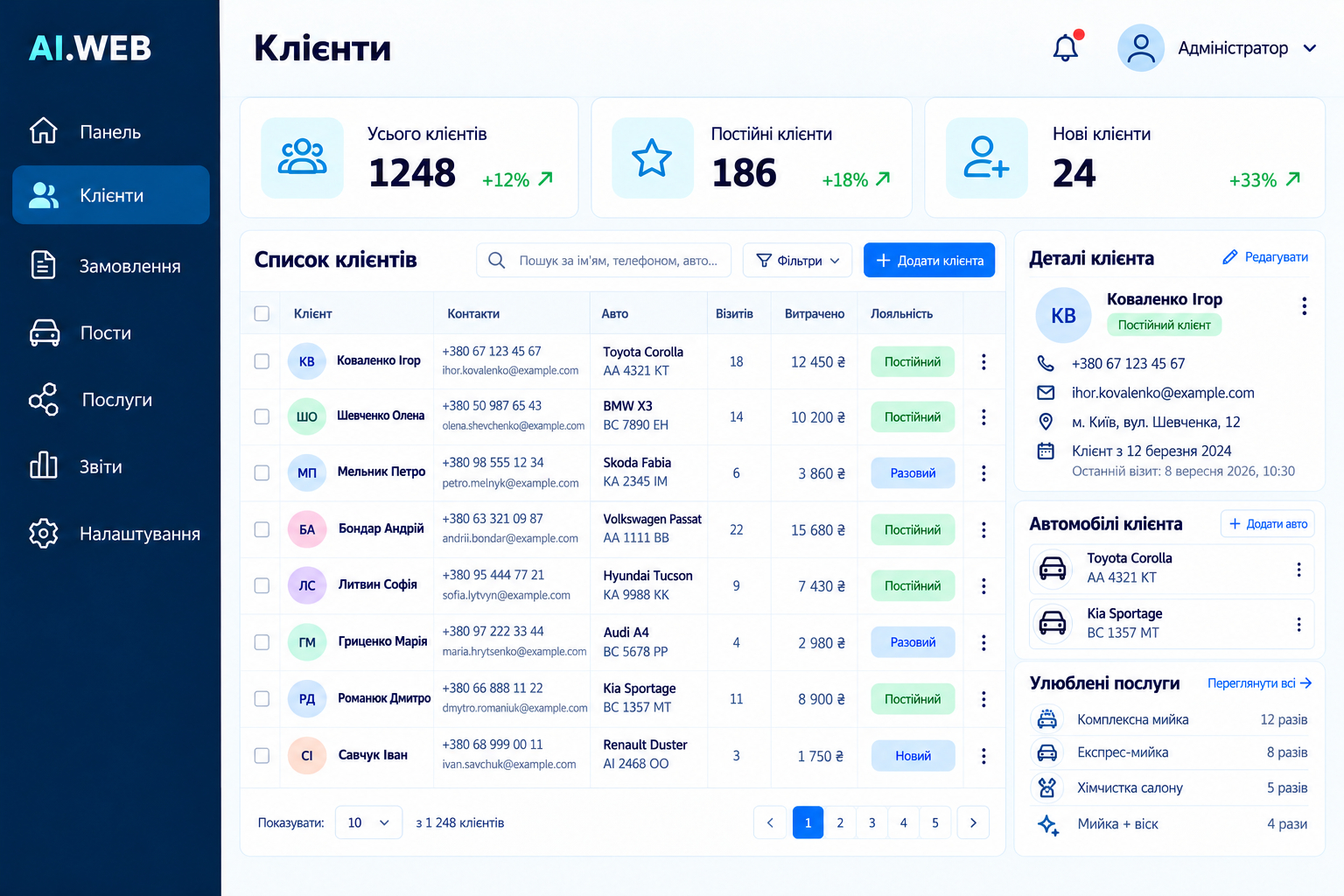
Owner contact information, vehicle makes and models, service history, and maintenance preferences all consolidated in one unified profile.
Streamline your car wash operations with integrated scheduling, staff management, customer relationships, and financial tracking all in one platform.
Owner contact information, vehicle makes and models, service history, and maintenance preferences all consolidated in one unified profile.
Schedule your service at a time that works for you, and select from our available service options, vehicle categories, and technician bays.
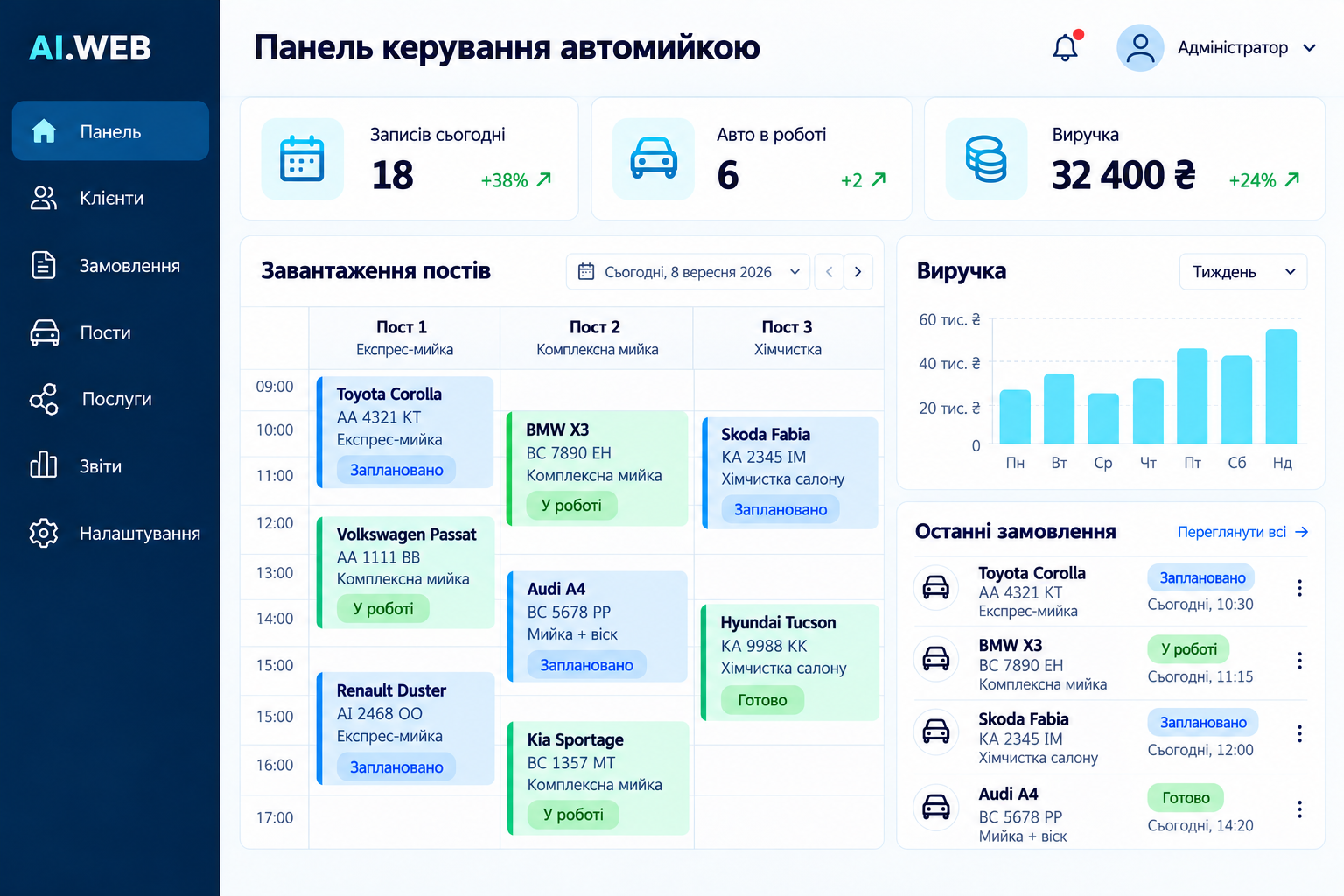
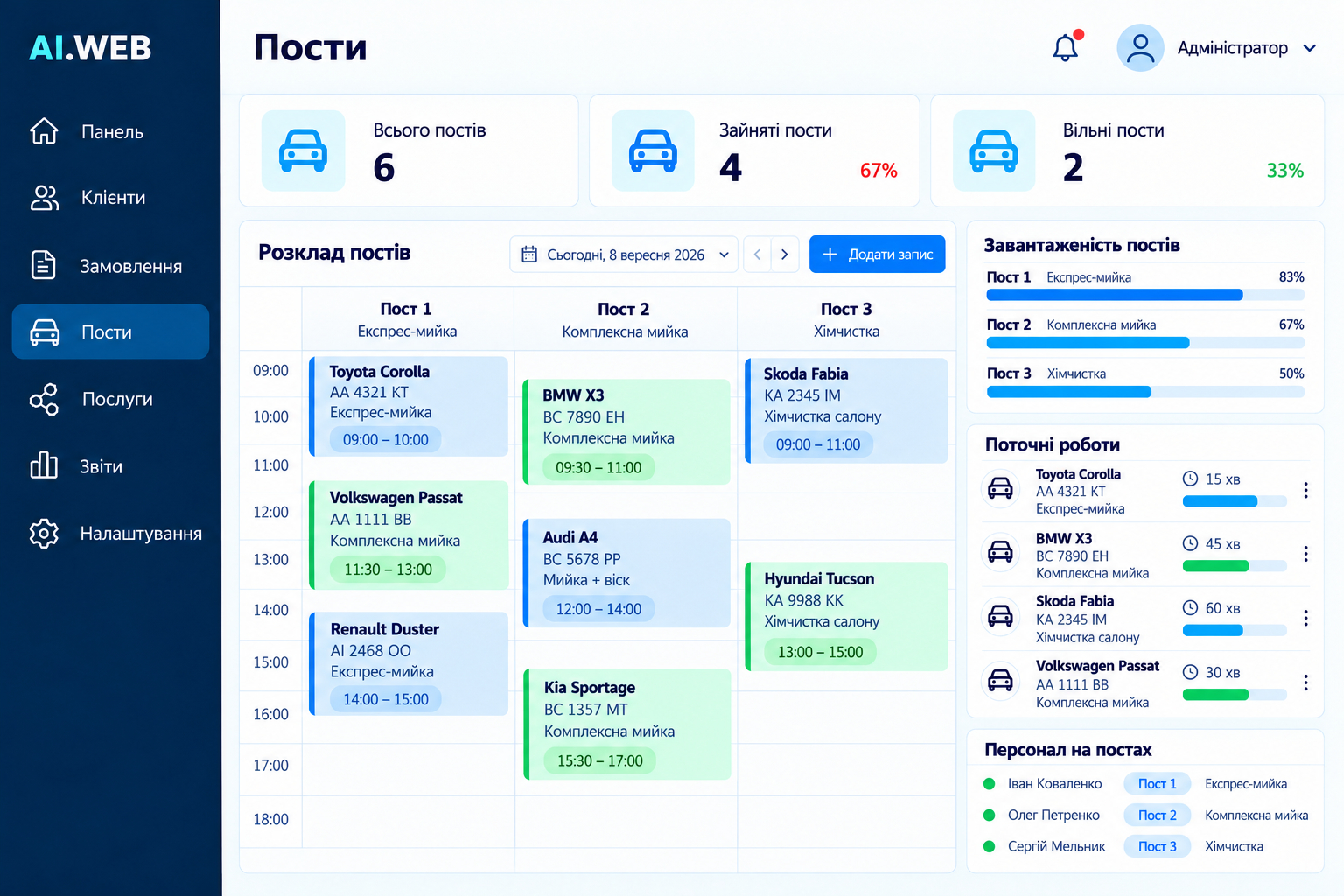
Unified booking calendar that accounts for service duration, bay availability, and car wash operating hours.
Explore our comprehensive menu of car wash, detailing, and polishing services with transparent pricing tailored to your vehicle class.
View selected services, pricing details, assigned team members, and client notes all in one convenient order summary.
Complete visibility into your vehicle service lifecycle—from intake and initial diagnostics through job completion and customer delivery.
Track service invoicing, advance payments, and refunds while monitoring outstanding balances for your corporate clients.
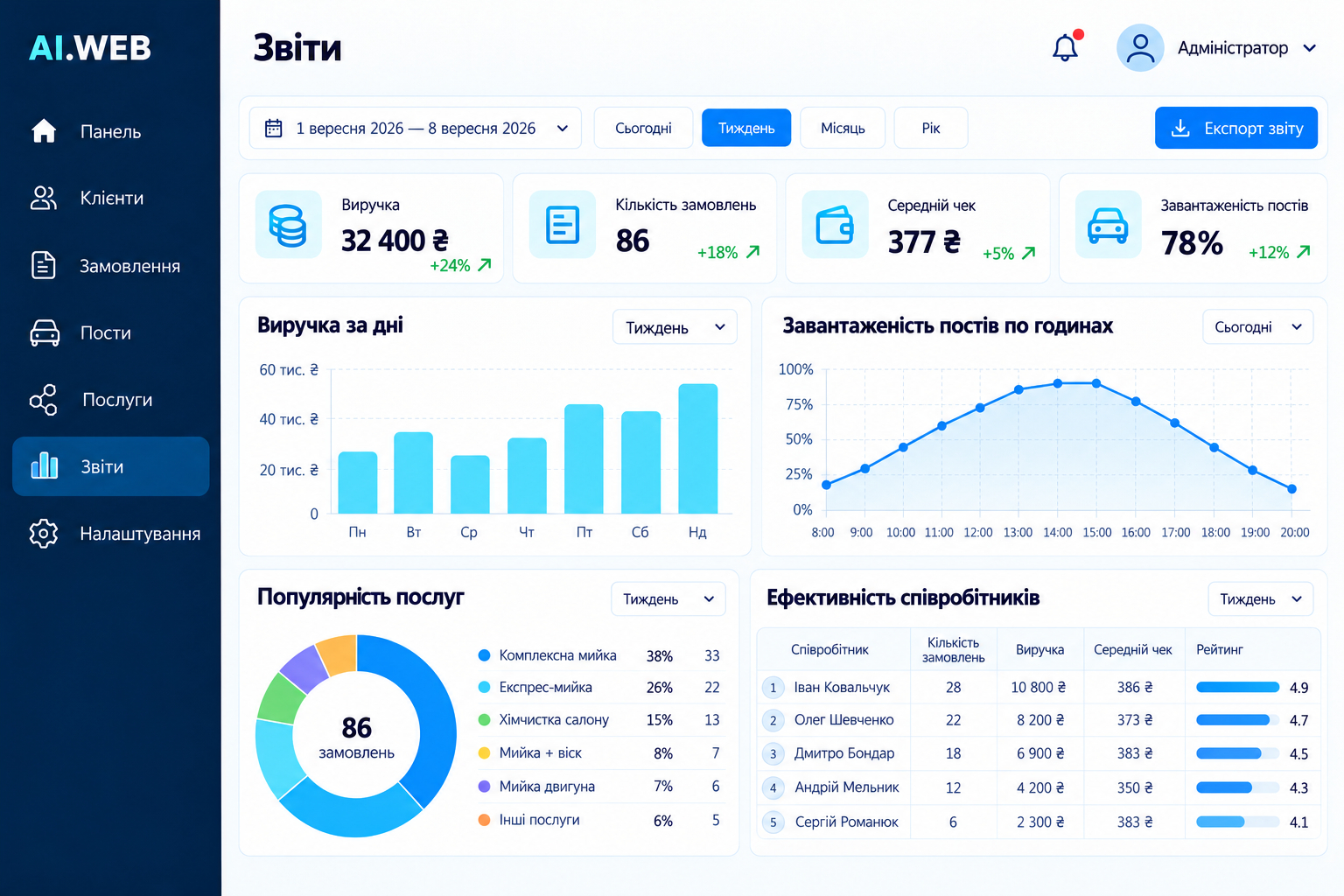
Track vehicle counts, average transaction values, top-performing services, content uploads, and shift-by-shift revenue metrics all in one dashboard.
Car wash management software streamlines daily operations, optimizes bay scheduling, maintains customer records, and tracks financial performance. Replace paper logs, spreadsheets, and constant phone calls with a unified platform designed for your wash business.
We build custom management systems tailored to your operation—whether you run a small hand wash, a full-service facility with detailing and upholstery cleaning, or multiple locations across town.
Every day, your wash handles dozens of vehicles. Each appointment needs coordination, bay assignment, service selection, work verification, and payment processing.
Without automation, common problems emerge:
Management software consolidates these processes into one interface, letting owners monitor the business while staff serves customers faster.
Software creates an electronic schedule based on available bays, service duration, and staff availability.
Your team sees open slots, books vehicles instantly, reschedules appointments, or adjusts service selections on the fly.
When integrated with your website, customers self-book services and choose their preferred time without calling ahead.
Store customer contact information, vehicle details, and complete service history in one searchable database.
Each vehicle gets its own record with make, model, license plate, owner contact, and service notes.
This speeds up repeat bookings, enables personalized offers, and supports loyalty program management.
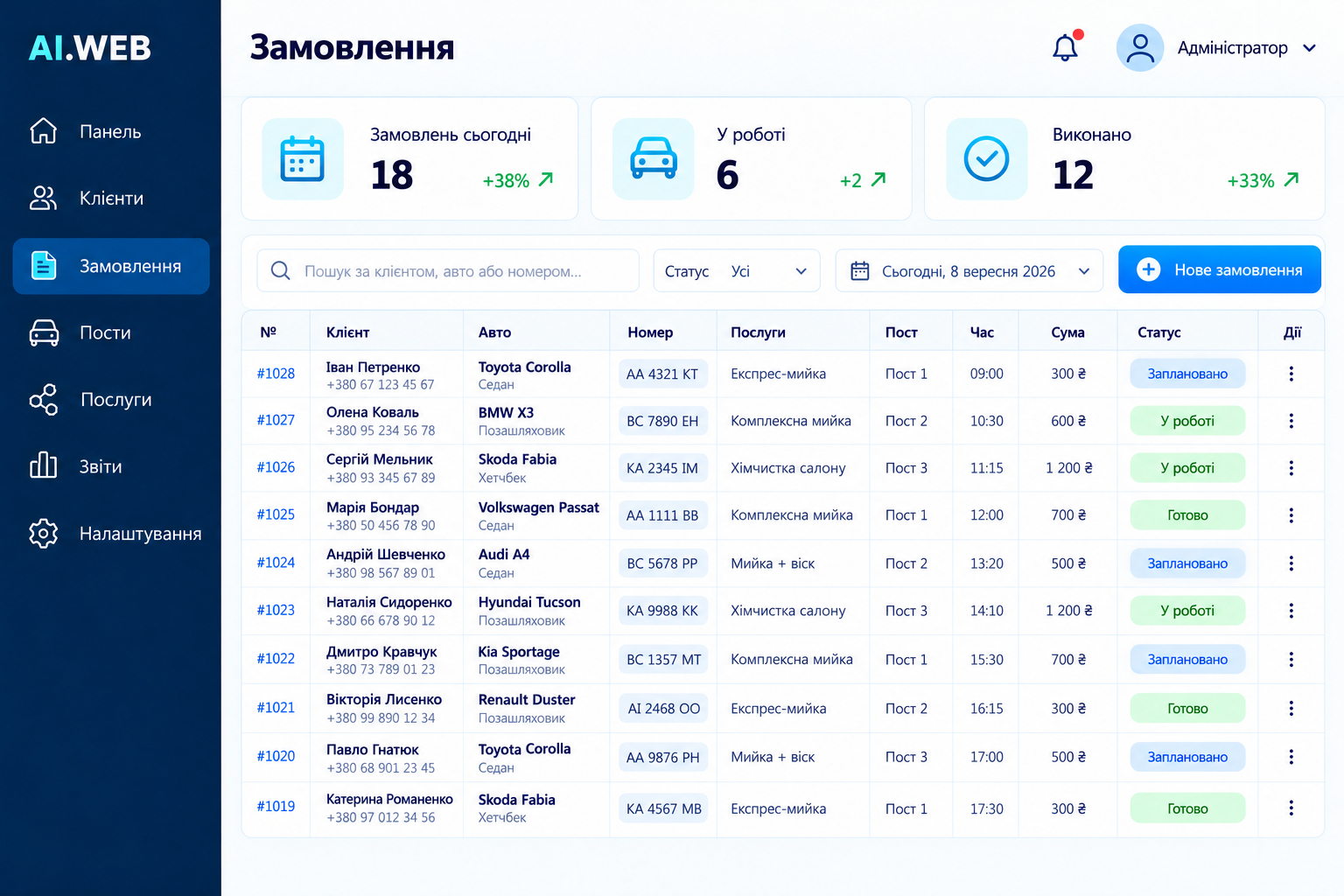
Every order moves through defined stages: booked, arrived, in service, complete, and paid.
The system shows current status and assigned staff. Managers monitor bay utilization without constantly checking with employees.
Track completed work for each employee, vehicles served, and services performed.
Set up automatic pay calculations based on shifts, flat rates, or commission from orders.
Monitor stock levels of shampoos, waxes, cleaners, towels, and consumables.
Automate supply deduction based on services completed and receive alerts when stock runs low.
Owners access key metrics: appointment volume, average ticket, revenue, bay utilization, and staff productivity.
Generate reports by day, shift, employee, or location.
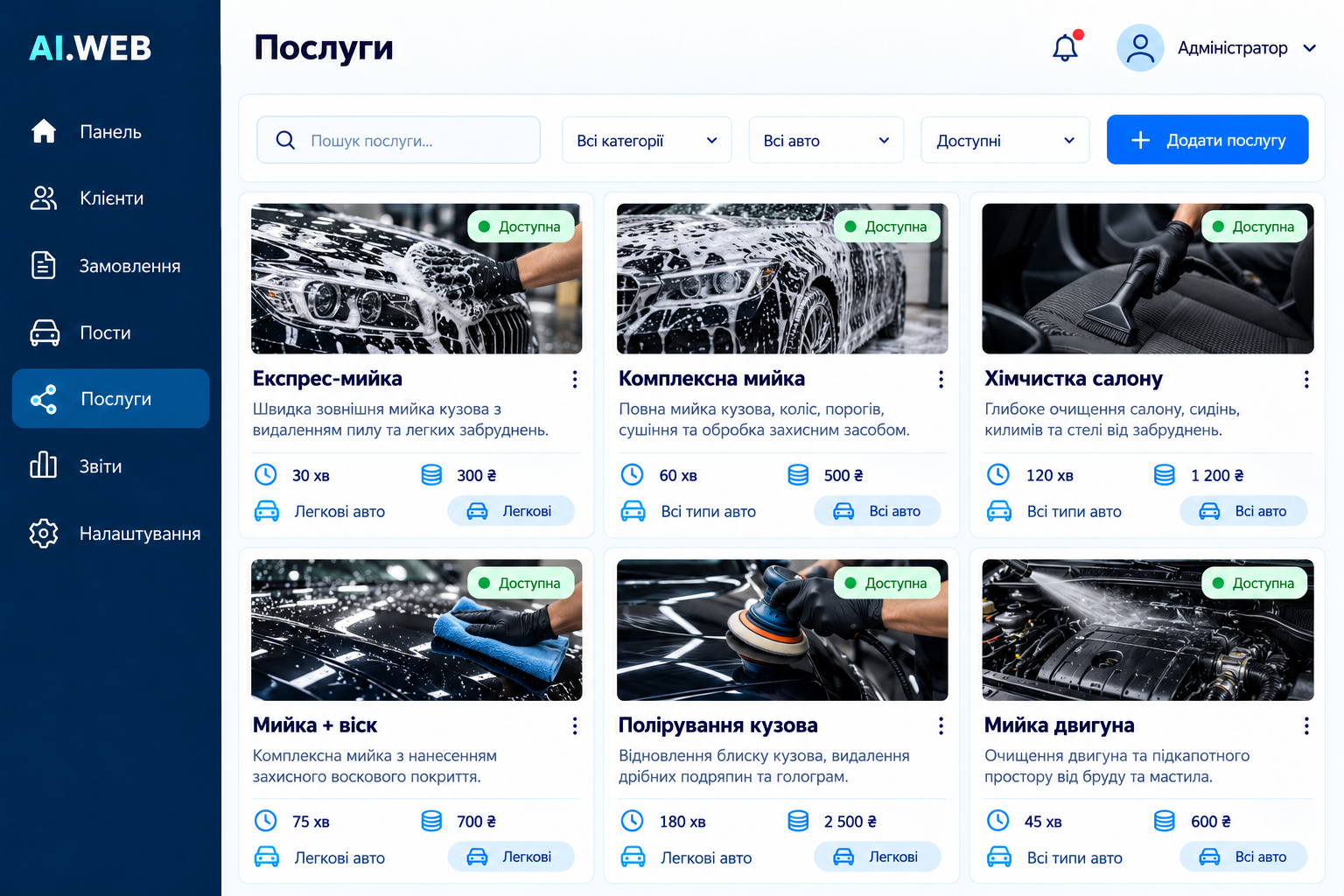
We customize the system for various auto service formats:
Off-the-shelf platforms often miss what makes your business unique. One wash books only by appointment. Another manages walk-in queues. A third combines washing with detailing and add-on services.
We develop management software built around your specific workflows—no bloated modules or unused features.
Depending on your needs, the system can include website integration, online payments, SMS reminders, loyalty programs, multi-location management, and custom reporting.
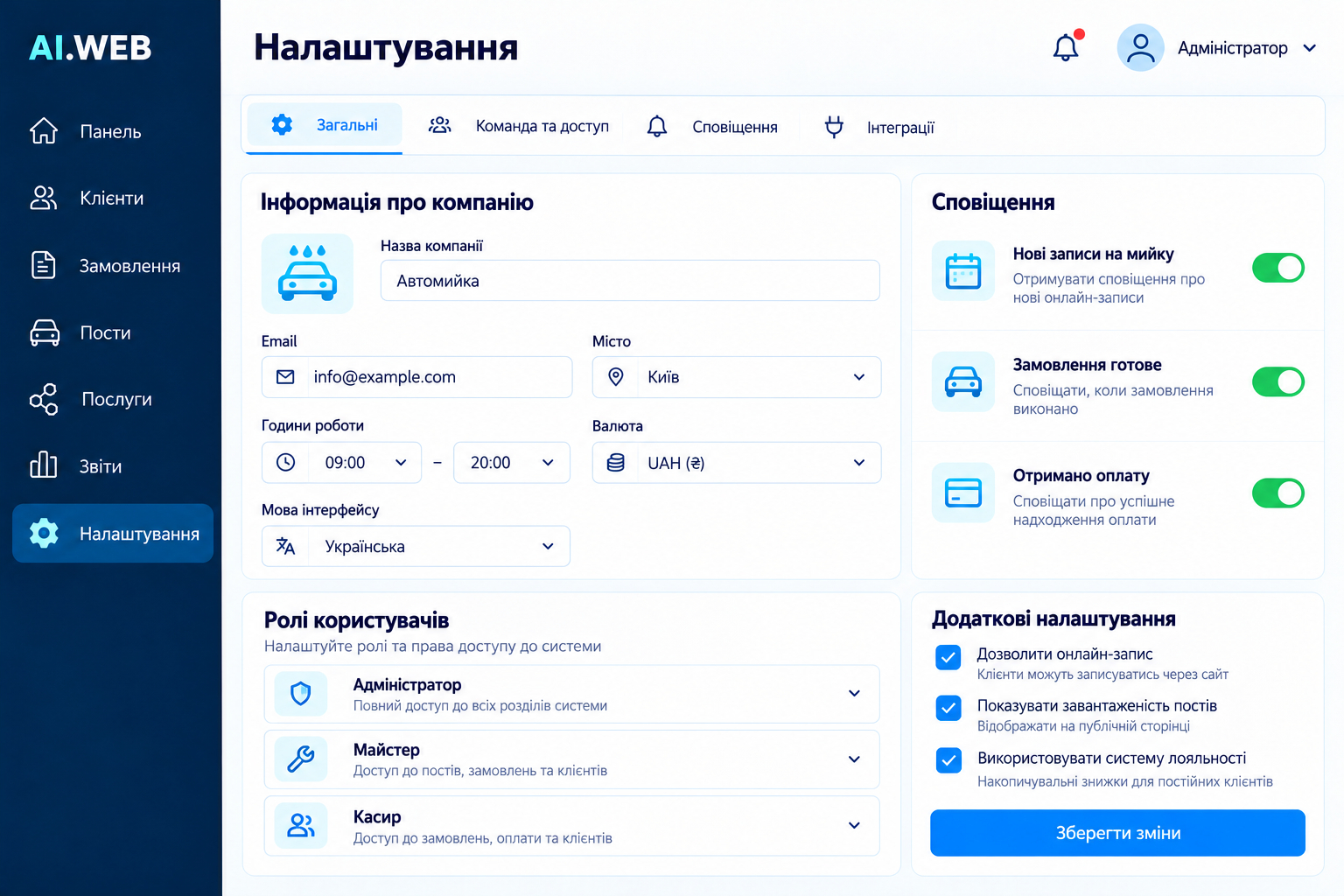
The software runs in any web browser, giving you access from desktop, tablet, or phone with user permissions you define.
Every project has its own requirements, so pricing and timelines vary based on your specific needs, feature set, and scope. Below are typical cost ranges for common solutions.
Final pricing is determined once we clarify your specific requirements. Paid third-party services, integrations, and custom development work are quoted separately.
We've compiled answers to your most pressing questions to help guide your decision. Can't find what you're looking for? Reach out to our team.
Ask Your QuestionHere's how it works: AI-WEB provides a proprietary CRM platform that we customize to fit your business needs. We configure modules, data fields, workflow statuses, user roles, and reporting dashboards to match your operations. Should your processes require additional functionality, we'll evaluate custom development and third-party integrations separately.
We establish your initial CRM setup by mapping core business processes around customer management, communication workflows, orders, and team responsibilities. Together, we'll define what data to capture, clarify ownership of lead handling, and outline your order fulfillment pipeline. All agreed-upon modules, reporting dashboards, and configuration specifications are documented in the proposal before implementation begins.
Before we begin, we'll prepare a detailed proposal outlining the scope of work and payment terms. We break down CRM configuration costs separately, along with platform licensing fees, hosting, and ongoing support. Any integrations, add-on modules, and third-party services are itemized as distinct line items. All payment schedules and milestones are confirmed in our service agreement.
Data migration can be incorporated into your implementation process. We start by auditing your current system's export capabilities, including field structure, data completeness, and duplicate records. From there, we identify which contacts, products, orders, and other records are eligible for import, align on scope, and validate the migration results to ensure accuracy.
We offer comprehensive hosting and managed support services, with the flexibility to deploy your CRM on a dedicated server environment tailored to your needs. If you're running your own infrastructure, we'll evaluate deployment feasibility based on our platform's technical specifications. Prior to implementation, we'll establish clear agreements regarding access protocols, system administration, backup procedures, and hosting fees.
Mobile functionality depends on your selected modules and specific workflow requirements. During the discovery phase, we identify key mobile use cases—such as client management, status updates, task tracking, and scheduling—to ensure your team can work efficiently on the go. We validate these scenarios through demonstrations and confirm any necessary interface adjustments. If a dedicated mobile app is required, we'll provide a separate assessment and cost estimate.
Support scope is defined through your service agreement and can encompass system health monitoring, technical troubleshooting and issue resolution, data backup and recovery, and ongoing system guidance. We provide comprehensive user training during implementation. Additional features, process modifications, and custom integrations are evaluated separately and quoted outside your standard maintenance plan.
AI-WEB delivers a proprietary CRM platform built for scalability, paired with comprehensive implementation and customization services. We start by mapping your existing workflows—how leads flow through your pipeline, who owns each stage, and what metrics matter to your leadership team. From there, we configure modules, fields, custom statuses, and granular permission sets to match your operations. Complex requirements and third-party integrations are scoped separately, with deployment and ongoing technical support available through a single dedicated team.
Start by setting up your client database, leads, and tasks—get comfortable with the core functionality first. Once your team is up to speed, you can roll out additional modules like inventory management, document handling, financial reporting, or automated notifications. We'll sequence the implementation based on your business priorities, accounting for module dependencies and any data migration requirements.
Standard implementations typically take 2–4 weeks to complete. More complex integrations, large-scale data migrations, and custom modules may require additional time. We'll need documentation of your workflows, sample files, migration datasets, and a dedicated point of contact to streamline approvals. Final timelines are determined after we assess the full scope of your project.
Yes, provided the necessary technical infrastructure is in place. We can configure automated lead and order routing from your website, establish data synchronization with accounting software, phone systems, shipping carriers, and payment processors. Our integration process begins with API documentation review and assessment of available connection methods, followed by data mapping and flow direction analysis. Integration availability and setup costs are evaluated on a per-service basis.
During setup, we establish role-based access controls and define the specific operations each role can perform. For instance, account managers typically need visibility into their client portfolios, department heads require team oversight and performance tracking, while accounting staff need access to payment records and financial data. We configure permissions separately for sensitive areas like financial reporting, data exports, record modifications, and deletions. All access restrictions should be validated and tested before going live.
During implementation, we provide comprehensive training on your agreed-upon workflows: adding clients, processing requests, updating order status, and assigning tasks. We'll outline the training approach, documentation structure, and post-launch support in our proposal. We've found that hands-on training works best when we use real-world scenarios from your daily operations.
Ongoing expenses typically cover platform subscription fees based on your selected plan, server hosting, technical support, and third-party integrations. Additional charges may apply for SMS messaging, voice services, email campaigns, and other add-on features you activate. We separate implementation costs from recurring fees upfront, clearly outline billing cycles, and explain what factors influence your total investment.
Establish clear data ownership, usage rights, and retrieval protocols in your service agreement before implementing CRM. Address key considerations upfront: determine who has system access, define which datasets can be exported, specify file formats, and set timelines for data transfers. If you're planning to migrate to a different platform later, let us know during the initial consultation—we'll assess export capabilities and develop a structured data handoff process.
As part of our technical support services, we can establish regular automated backups and data recovery protocols. We'll work with you to determine the backup frequency, storage location, and retrieval procedures based on your CRM hosting environment. Data exports can be customized to your needs—we'll identify the specific modules, fields, and file formats required for your workflow. Keep in mind that system backups and data migration files serve different purposes and are managed accordingly.
No results found for your search. Try different keywords or select "All Questions" to browse our complete resource library.
Tell us about your idea or task — we will propose the best solution and action plan.
 We will discuss your task
 Convenient communication
 Transparent proposal
 Attention to your needs
 Want to discuss it now?Our contacts
Describe your task and leave a contact for our reply.
© 2026 ai-web.com.ua. All Rights Reserved.

