

Unified Patient Database
Centralized patient records with contact information, visit history, documents, and administrative notes all accessible from a single dashboard.
Dental Practice Management Software — streamline patient scheduling, manage electronic health records, coordinate provider availability, track treatment plans, and handle billing all in one platform.
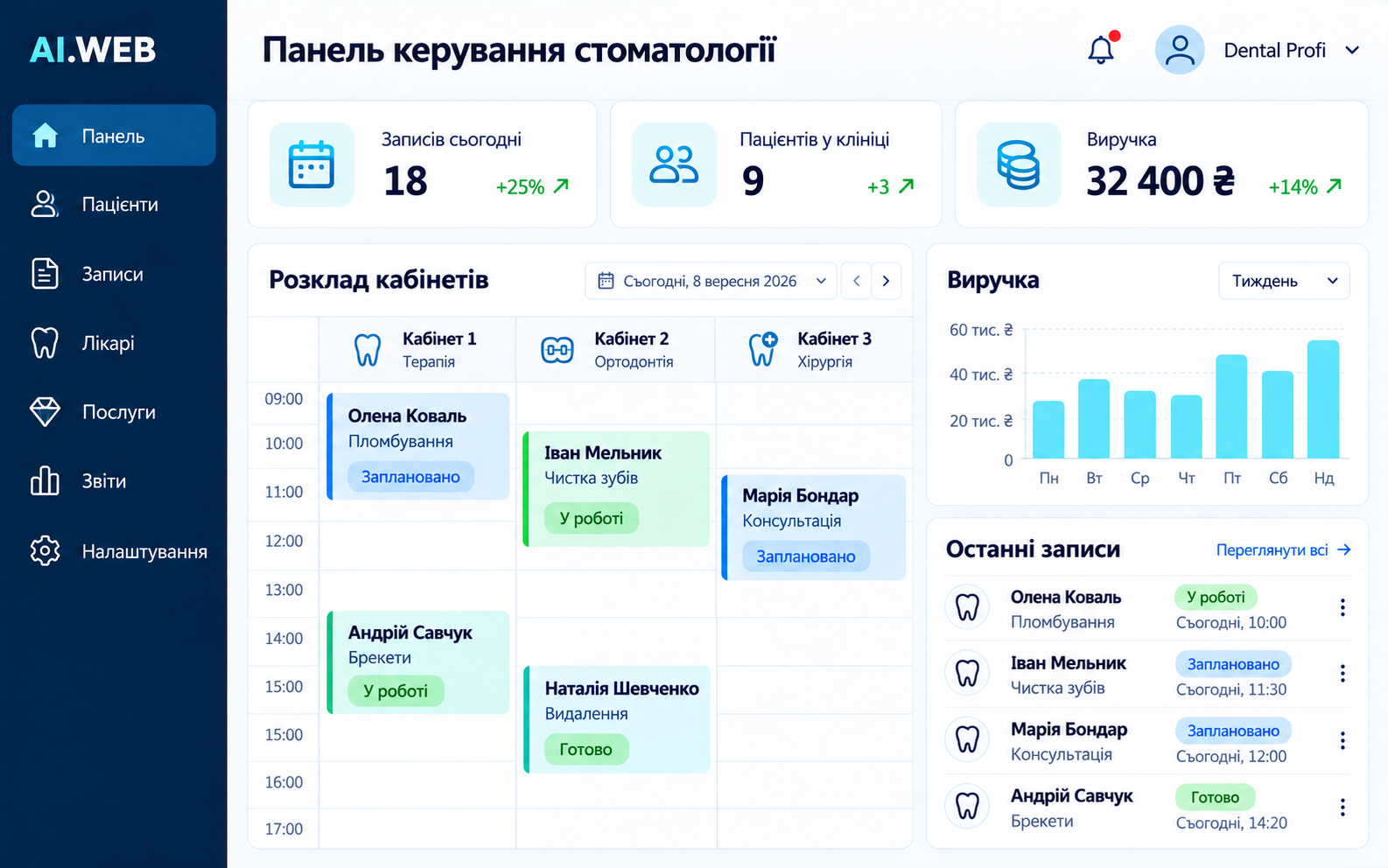
Centralized patient records with contact information, visit history, documents, and administrative notes all accessible from a single dashboard.
Schedule your dental appointment by selecting your preferred service, date, and available time slot.
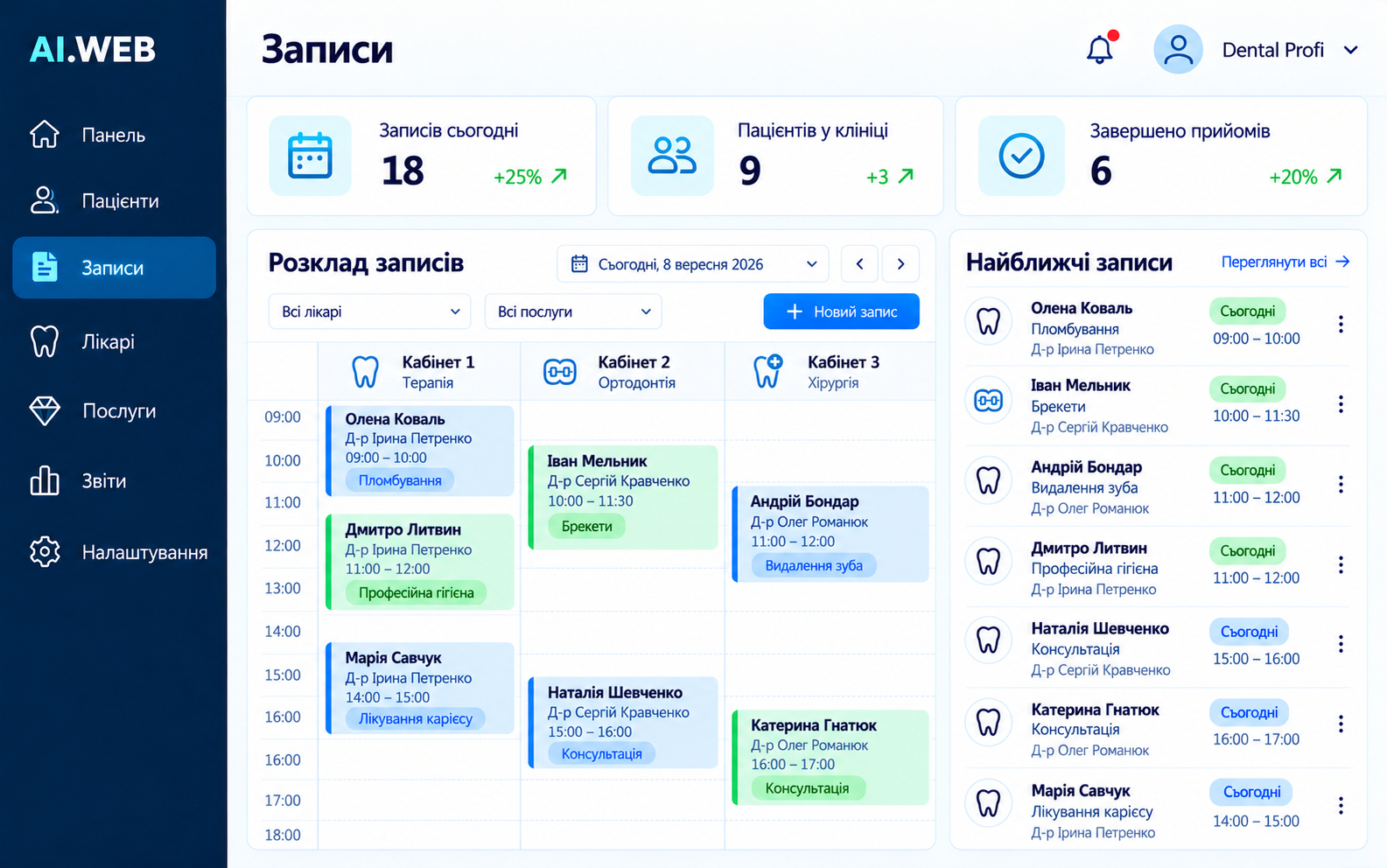
Streamline your scheduling with intelligent appointment management that accounts for dentist availability, operatory capacity, and procedure duration.
Automated appointment reminders with the option to confirm or reschedule your visit.
Manage inquiries from your connected website and messaging apps, log calls, and track new patient registrations all in one place.
Track approved treatment plans, associated costs, and scheduled appointments with built-in progress monitoring for each phase of care.
Track prepayments, partial payments, and full settlements with real-time visibility into outstanding balances for services rendered.
Track appointment volume, provider utilization rates, cancellation trends, follow-up visit metrics, and service revenue performance all in one dashboard.
Dental Practice Management Software — a comprehensive system that consolidates patient scheduling, digital charts, provider calendars, treatment plans, financial tracking, and performance analytics into a single platform. By automating routine administrative tasks, dental practices can reduce overhead, enhance patient experiences, and optimize staff productivity.
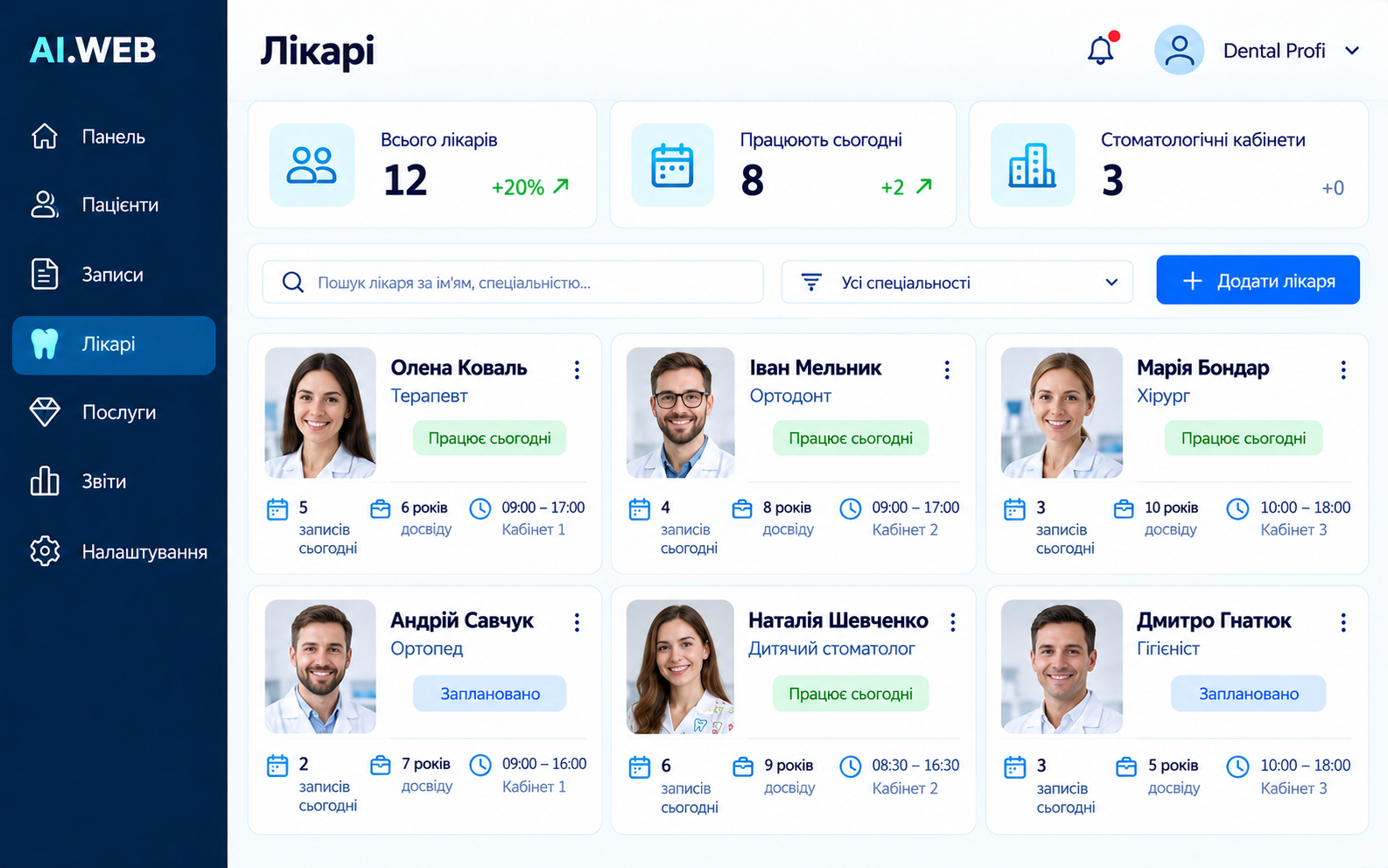
AI-WEB specializes in developing custom dental CRM solutions tailored to solo practices, multi-specialty clinics, and dental networks. The system architecture adapts to your practice's unique workflows, provider count, clinical specialties, and operational requirements.
Effective dental practice management goes beyond appointment scheduling. It requires coordinating every patient interaction—from initial consultation through treatment completion and preventive recall visits.
A well-implemented CRM centralizes these workflows in one integrated environment.
When properly configured, CRM software frees administrative staff from repetitive tasks and allows clinicians to focus entirely on patient care.
Centralized patient information management is essential to modern dental practice operations.
Each patient profile consolidates contact information, appointment history, clinical findings, completed procedures, account balance, and customized treatment plans.
The system can support advanced features including:
User access controls align with staff roles and responsibilities. Data protection protocols comply with HIPAA and other privacy regulations.
The appointment calendar is the operational backbone of any dental practice.
Staff instantly view available time slots for each provider, operatory status, scheduled procedures, and cancellations in real time.
Patients self-book through your website, with requests flowing directly into the system for confirmation.
Advanced scheduling features include appointment rescheduling, waitlist management, automated visit reminders, and provider availability notifications.
These capabilities significantly reduce missed appointments and help providers maintain efficient daily schedules.
Dental treatment typically spans multiple appointments over an extended timeframe. Your CRM tracks each phase and associated payments.
Create detailed treatment plans for each patient with itemized procedures, estimated costs, assigned provider, and progress status.
Practice leadership gains visibility into:
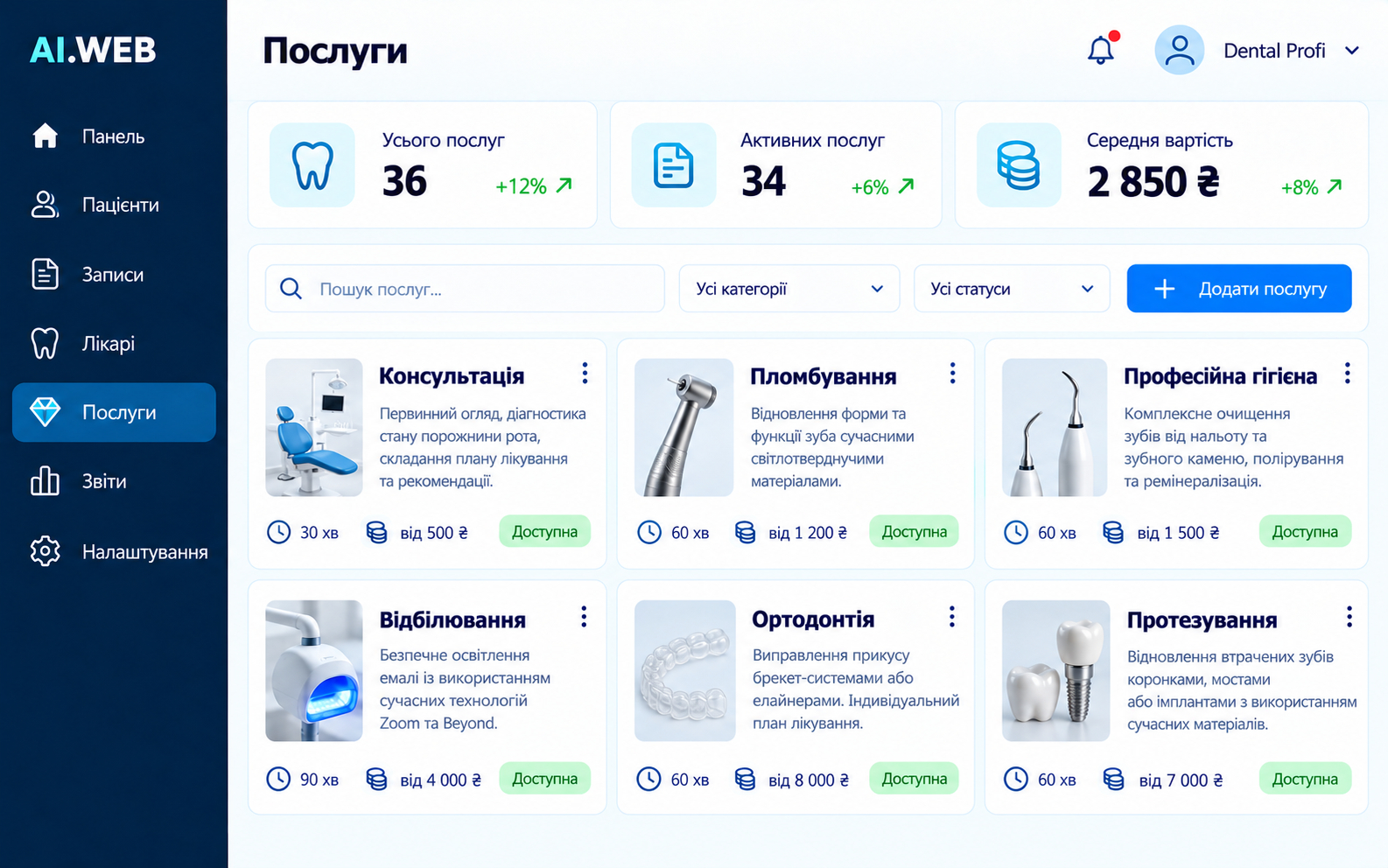
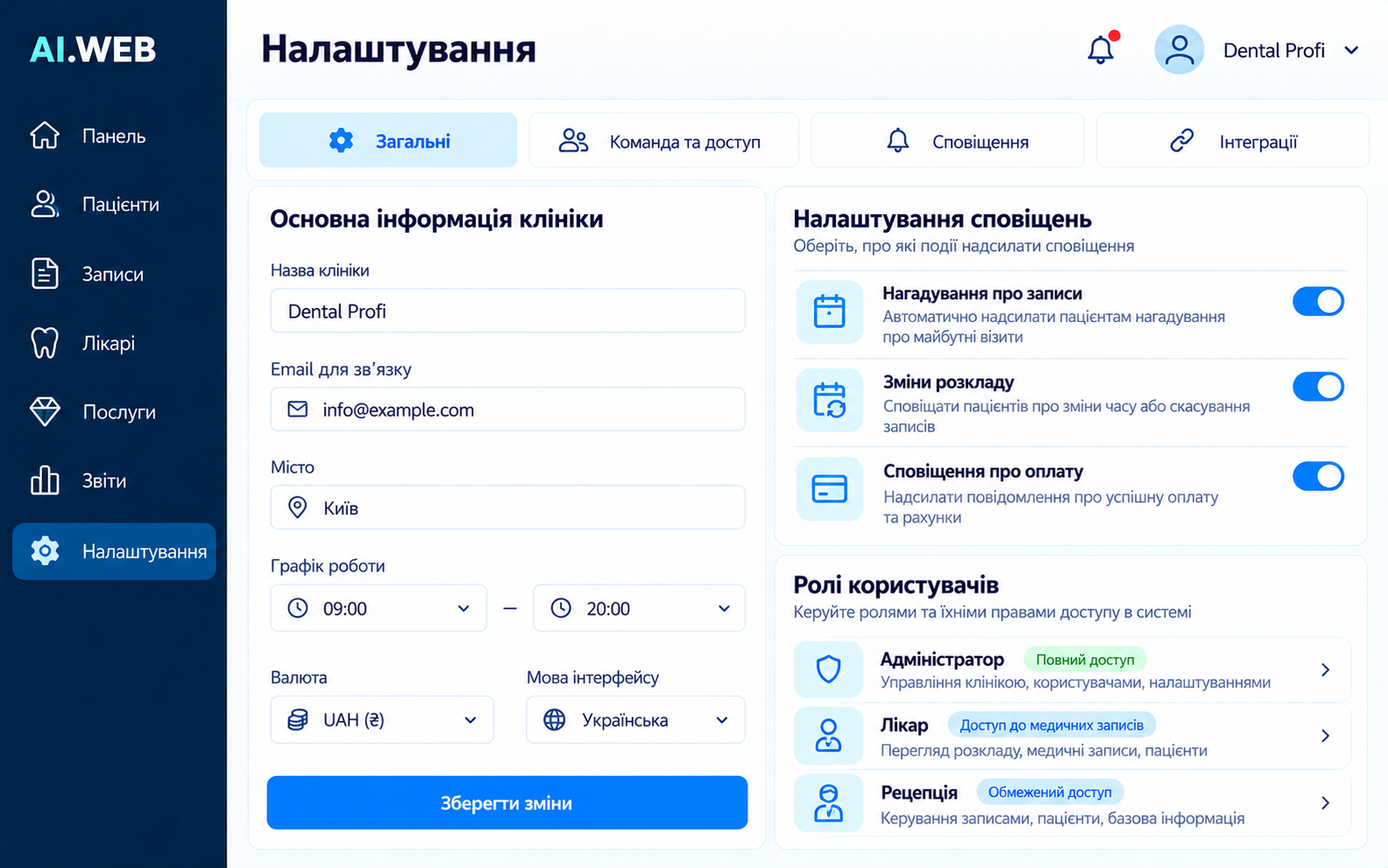
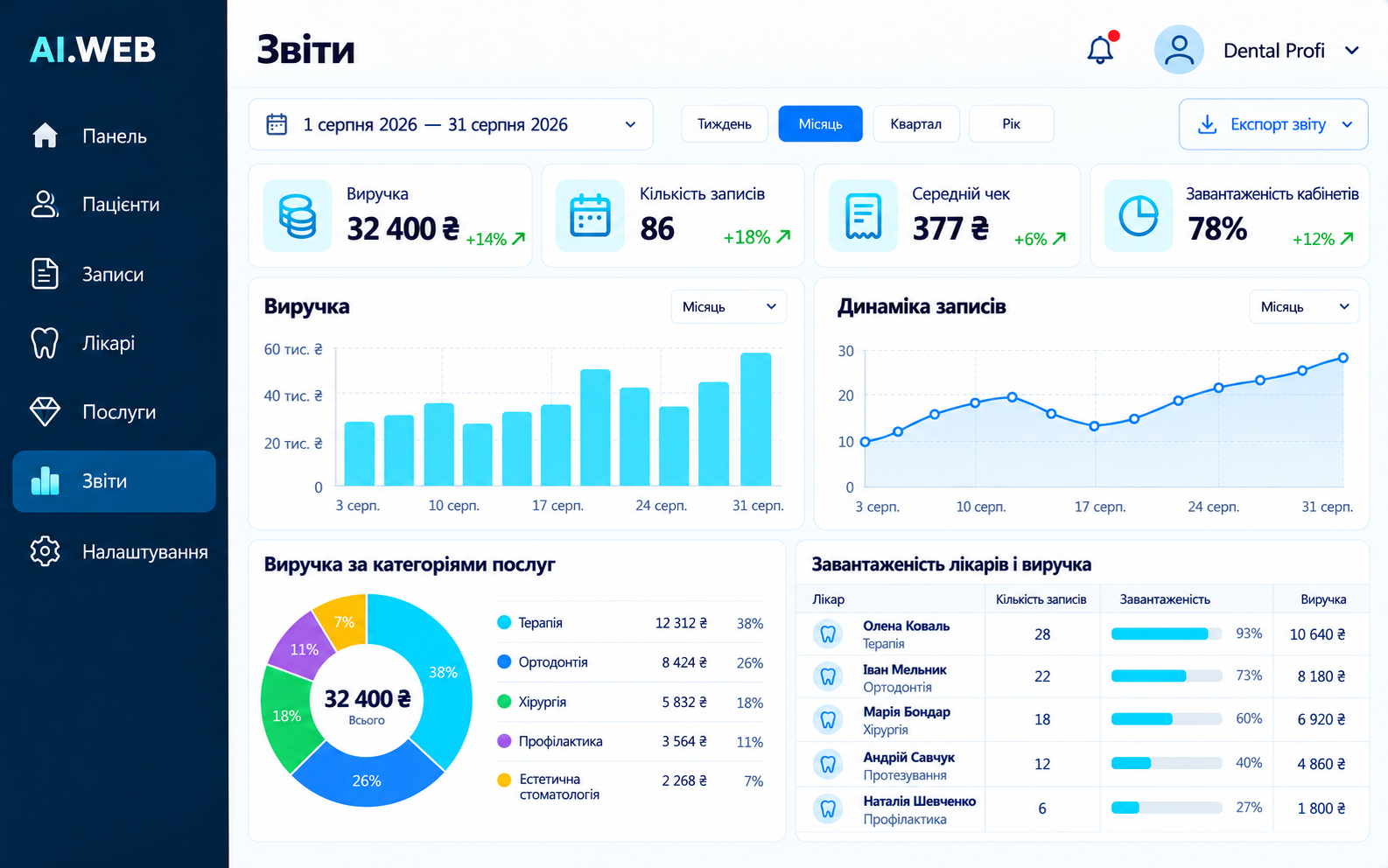
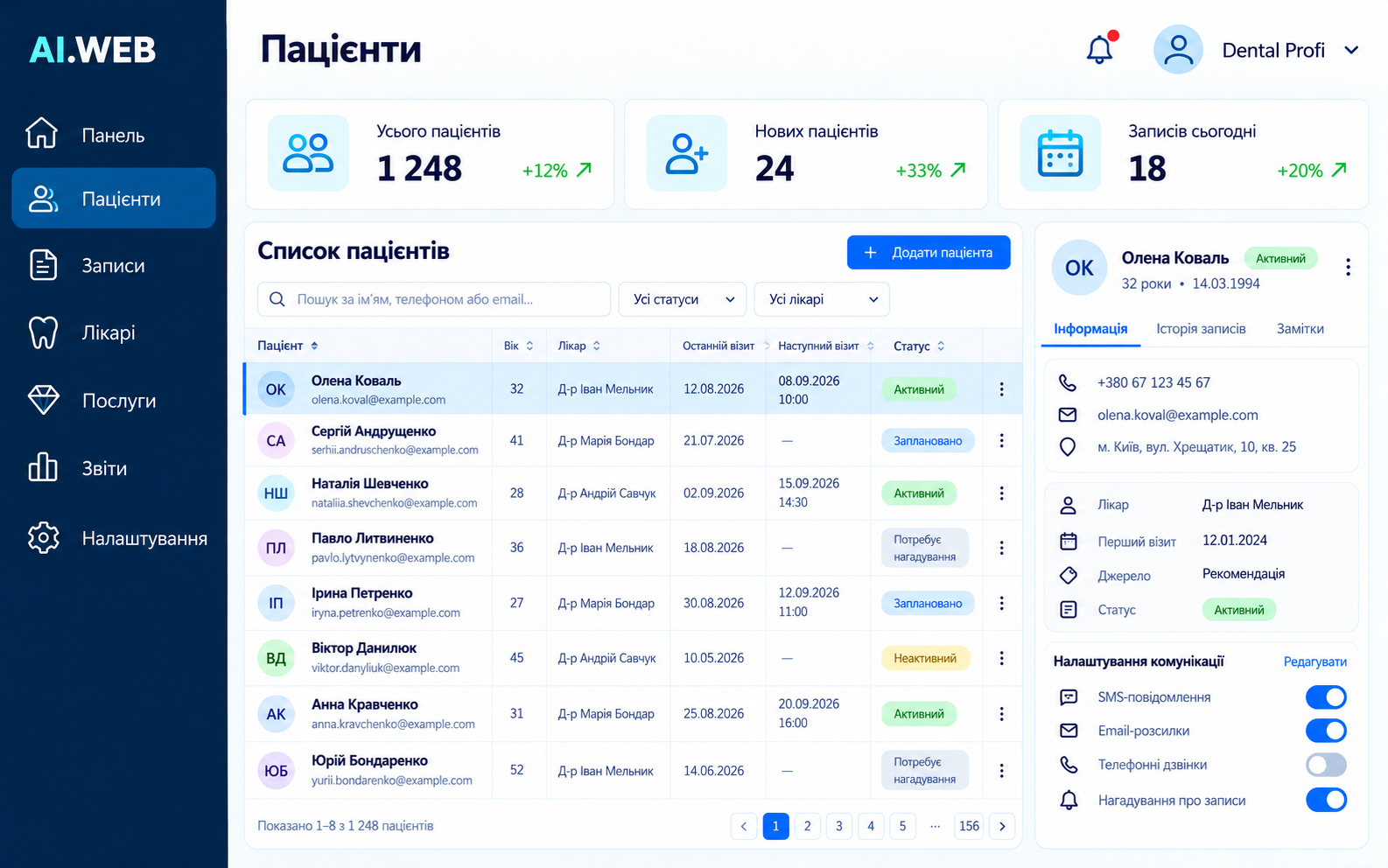
Custom dental CRM platforms seamlessly connect with your existing business infrastructure.
Website inquiries, online advertising leads, and contact form submissions automatically generate new patient records in the system.
Your CRM can integrate with VoIP phone systems, payment processors, SMS gateways, messaging platforms, accounting software, and other business applications.
Integration eliminates data silos and creates a unified workspace where all clinical and administrative functions interact seamlessly.
Off-the-shelf dental software often forces practices to adapt to generic workflows. Some practices only need patient scheduling and basic charting; others require comprehensive management including clinical documentation, financial reporting, inventory tracking, and advanced analytics.
AI-WEB builds custom CRM solutions designed around your practice's specific needs.
Our development approach includes:
Your CRM can be implemented in phases. Core functionality deploys first, with additional modules added as your practice grows and requirements evolve.
Custom dental management software serves a wide range of practice structures:
For multi-location practices, a centralized CRM provides unified patient records across all locations, location-specific analytics, and streamlined inter-office referrals and case transfers.
Every project has its own requirements, so pricing and timelines vary based on your specific needs, feature set, and scope. Below are typical cost ranges for common solutions.
Final pricing is determined once we clarify your specific requirements. Paid third-party services, integrations, and custom development work are quoted separately.
We've compiled answers to your most pressing questions to help guide your decision. Can't find what you're looking for? Reach out to our team.
Ask Your QuestionHere's how it works: AI-WEB provides a proprietary CRM platform that we customize to fit your business needs. We configure modules, data fields, workflow statuses, user roles, and reporting dashboards to match your operations. Should your processes require additional functionality, we'll evaluate custom development and third-party integrations separately.
We establish your initial CRM setup by mapping core business processes around customer management, communication workflows, orders, and team responsibilities. Together, we'll define what data to capture, clarify ownership of lead handling, and outline your order fulfillment pipeline. All agreed-upon modules, reporting dashboards, and configuration specifications are documented in the proposal before implementation begins.
Before we begin, we'll prepare a detailed proposal outlining the scope of work and payment terms. We break down CRM configuration costs separately, along with platform licensing fees, hosting, and ongoing support. Any integrations, add-on modules, and third-party services are itemized as distinct line items. All payment schedules and milestones are confirmed in our service agreement.
Data migration can be incorporated into your implementation process. We start by auditing your current system's export capabilities, including field structure, data completeness, and duplicate records. From there, we identify which contacts, products, orders, and other records are eligible for import, align on scope, and validate the migration results to ensure accuracy.
We offer comprehensive hosting and managed support services, with the flexibility to deploy your CRM on a dedicated server environment tailored to your needs. If you're running your own infrastructure, we'll evaluate deployment feasibility based on our platform's technical specifications. Prior to implementation, we'll establish clear agreements regarding access protocols, system administration, backup procedures, and hosting fees.
Mobile functionality depends on your selected modules and specific workflow requirements. During the discovery phase, we identify key mobile use cases—such as client management, status updates, task tracking, and scheduling—to ensure your team can work efficiently on the go. We validate these scenarios through demonstrations and confirm any necessary interface adjustments. If a dedicated mobile app is required, we'll provide a separate assessment and cost estimate.
Support scope is defined through your service agreement and can encompass system health monitoring, technical troubleshooting and issue resolution, data backup and recovery, and ongoing system guidance. We provide comprehensive user training during implementation. Additional features, process modifications, and custom integrations are evaluated separately and quoted outside your standard maintenance plan.
AI-WEB delivers a proprietary CRM platform built for scalability, paired with comprehensive implementation and customization services. We start by mapping your existing workflows—how leads flow through your pipeline, who owns each stage, and what metrics matter to your leadership team. From there, we configure modules, fields, custom statuses, and granular permission sets to match your operations. Complex requirements and third-party integrations are scoped separately, with deployment and ongoing technical support available through a single dedicated team.
Start by setting up your client database, leads, and tasks—get comfortable with the core functionality first. Once your team is up to speed, you can roll out additional modules like inventory management, document handling, financial reporting, or automated notifications. We'll sequence the implementation based on your business priorities, accounting for module dependencies and any data migration requirements.
Standard implementations typically take 2–4 weeks to complete. More complex integrations, large-scale data migrations, and custom modules may require additional time. We'll need documentation of your workflows, sample files, migration datasets, and a dedicated point of contact to streamline approvals. Final timelines are determined after we assess the full scope of your project.
Yes, provided the necessary technical infrastructure is in place. We can configure automated lead and order routing from your website, establish data synchronization with accounting software, phone systems, shipping carriers, and payment processors. Our integration process begins with API documentation review and assessment of available connection methods, followed by data mapping and flow direction analysis. Integration availability and setup costs are evaluated on a per-service basis.
During setup, we establish role-based access controls and define the specific operations each role can perform. For instance, account managers typically need visibility into their client portfolios, department heads require team oversight and performance tracking, while accounting staff need access to payment records and financial data. We configure permissions separately for sensitive areas like financial reporting, data exports, record modifications, and deletions. All access restrictions should be validated and tested before going live.
During implementation, we provide comprehensive training on your agreed-upon workflows: adding clients, processing requests, updating order status, and assigning tasks. We'll outline the training approach, documentation structure, and post-launch support in our proposal. We've found that hands-on training works best when we use real-world scenarios from your daily operations.
Ongoing expenses typically cover platform subscription fees based on your selected plan, server hosting, technical support, and third-party integrations. Additional charges may apply for SMS messaging, voice services, email campaigns, and other add-on features you activate. We separate implementation costs from recurring fees upfront, clearly outline billing cycles, and explain what factors influence your total investment.
Establish clear data ownership, usage rights, and retrieval protocols in your service agreement before implementing CRM. Address key considerations upfront: determine who has system access, define which datasets can be exported, specify file formats, and set timelines for data transfers. If you're planning to migrate to a different platform later, let us know during the initial consultation—we'll assess export capabilities and develop a structured data handoff process.
As part of our technical support services, we can establish regular automated backups and data recovery protocols. We'll work with you to determine the backup frequency, storage location, and retrieval procedures based on your CRM hosting environment. Data exports can be customized to your needs—we'll identify the specific modules, fields, and file formats required for your workflow. Keep in mind that system backups and data migration files serve different purposes and are managed accordingly.
No results found for your search. Try different keywords or select "All Questions" to browse our complete resource library.
Tell us about your idea or task — we will propose the best solution and action plan.
 We will discuss your task
 Convenient communication
 Transparent proposal
 Attention to your needs
 Want to discuss it now?Our contacts
Describe your task and leave a contact for our reply.
© 2026 ai-web.com.ua. All Rights Reserved.

