


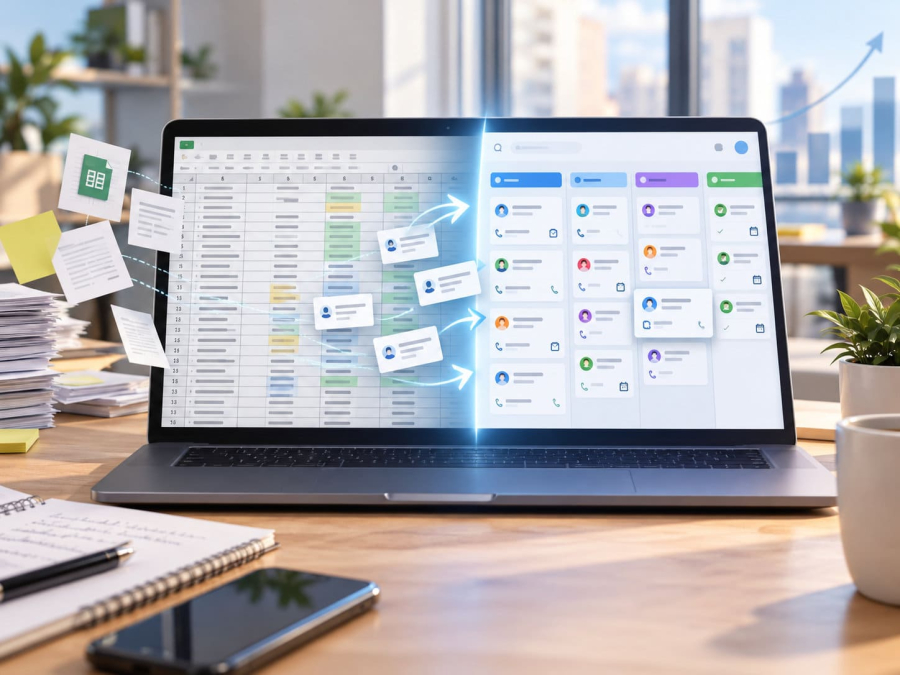

Google Sheets often works great in the early stages. You can use spreadsheets to manage clients, orders, payments, tasks, statuses, and even basic reporting.
The real problem doesn't start when the spreadsheet gets large—it starts when it stops making work easier.
If your data is duplicated across multiple places, your team constantly moves information manually, critical tasks depend on who remembers what, and leadership struggles to get a clear picture of the current state, it's time to consider a CRM.
That said, switching makes sense only when the new system actually saves time, reduces manual work, and gives the business better visibility and control.
You don't need to abandon spreadsheets too early
Spreadsheets have real advantages. They're affordable, flexible, familiar to most employees, and you can restructure them instantly without waiting for new features to be built.
For a small team with straightforward processes, this is often the best choice.
If you have few leads, simple workflows, no duplicate data, and leadership easily understands what's happening, moving to a CRM might just add unnecessary complexity.
So we wouldn't recommend switching just because spreadsheets seem unprofessional.
When information starts spreading across different files
As a business grows, the same data gradually ends up in multiple places.
A customer might be recorded in one spreadsheet, quotes in another, order status in a third, and important agreements left in a chat.
When volumes are small, you can still manage this manually.
But as order counts increase, inconsistencies emerge. One file has the latest status while another still shows old information. Employees waste time checking multiple sources just to understand what's actually happening.
A CRM solves this critical problem—related data lives in one place within a single workflow instead of scattered across multiple files.
When tasks depend on employee memory
If a manager has to personally remember who to follow up with, when to verify payment, what to pass to the technician, or who needs which document, your system isn't reliable.
You can partially fix this in spreadsheets with color coding, status columns, or separate task lists.
But as teams grow and workflows become more complex, manual tracking becomes overwhelming.
In a CRM, a task can be attached to a specific customer, order, workflow stage, or team member. Status changes can automatically trigger the next action or alert the right person.
This way, the process depends much less on whether someone remembers to do the next step.
When leadership needs to manually piece together the picture
With a small team, the owner usually knows what's happening anyway.
As the business scales, you end up gathering information from spreadsheets, chats, and direct conversations with staff.
How many active orders do we have? Where are we falling behind? Who's overloaded with tasks? Which invoices are unpaid? What stage is this customer at?
If answering these questions requires opening multiple files or asking the team for updates, your system is already lagging behind your business.
A well-built CRM shows leadership a much clearer picture in one place: orders, tasks, statuses, responsible parties, financial data, and other metrics that matter to your company.
When an order no longer fits in a single row
Google Sheets works well for lists.
A CRM works better for processes.
If an order flows through an inquiry, quote, approval, execution, invoicing, payment, and several internal steps, a single spreadsheet row isn't enough.
You need to track what's happening at each stage, who's responsible, which documents have been created, what's been completed, and what the next action should be.
The more complex the order workflow, the more value you get from a system with status tracking, task management, change history, and data relationships.
When you need granular access controls
With spreadsheets, access is usually simple—someone either sees the file or they don't.
Real businesses rarely work that way.
A sales manager might need customers and orders, a technician only their own work, accounting needs payment data, and leadership needs the full picture.
Beyond convenience, this is about data governance.
A CRM lets you set access based on roles and show each employee only the information they need for their job.
When repetitive manual work starts consuming too much time
One of the strongest reasons to switch is eliminating repetitive tasks.
If your team spends time every day copying data between spreadsheets, doing manual calculations, creating standard documents, changing statuses, assigning tasks, or notifying colleagues about completed stages, much of this can be automated.
This is where a CRM stops being just a contact database.
It starts saving your team real time.
That said, you shouldn't automate everything at once. First, identify which actions truly repeat, which rules are stable, and where automation will have the biggest impact.
A CRM shouldn't just be your old spreadsheet in a new interface
One of the biggest mistakes when migrating is taking your existing Google Sheet and simply copying all columns into the new system.
Technically you'll have a CRM, but the actual workflow barely changes.
Before building or configuring the system, you need to figure out what data you actually need, what's being duplicated, which stages can be streamlined, where bottlenecks happen, and what can be automated.
You also need to determine who updates statuses, which documents connect to orders, which tasks should trigger automatically, and what information each employee should see.
A good CRM doesn't replicate your old spreadsheet. It removes unnecessary steps and makes the process itself clearer.
How migration from spreadsheets works in practice
One telling example from our work is our CRM for auto repair shops.
Before implementation, some clients were running their core operations in Excel. They stored customer info, vehicles, job details, purchases, parts inventory, billing, and even payroll calculations in spreadsheets.
With low transaction volumes, this setup could work.
But as the business grew, employees constantly switched between spreadsheets, moved data by hand, did manual math, and fought to keep information current.
When we built the CRM, we didn't just move those spreadsheets into a new interface.
We consolidated related data into one system, restructured key processes, and automated repetitive operations and calculations.
Now the customer, vehicle, order, completed work, parts used, purchases, billing, and payroll all function as parts of one workflow.
What once required manual work across multiple spreadsheets now happens much faster or calculates automatically.
This saves technicians time in daily operations and gives shop owners real visibility without having to pull data from different files.
An interesting pattern emerged after we launched the base version.
Even though all clients work in the auto repair industry, their processes vary significantly. Some shops have different order workflows, different billing methods, different staff roles, different document requirements, or different internal accounting needs.
So we gradually adapted the base CRM for each shop's specific situation.
This experience demonstrates two important points.
First, switching to a CRM makes sense not for its own sake, but because it saves time, enables automation, and improves control.
Second, even companies in the same industry can't always work in an identical system.
When an off-the-shelf CRM is enough
Not every business needs custom software.
If your workflow is standard—customer, deal, task, invoice, payment—an off-the-shelf CRM usually covers most needs faster and cheaper.
In that case, there's no reason to build something custom just for complete control.
Ready-made solutions work especially well if your business can adapt its processes to fit the system without losing effectiveness.
We'd recommend checking off-the-shelf options first before considering custom development.
When you should consider custom CRM development
Custom software makes sense when off-the-shelf solutions force your business to bend important processes to fit the software's limitations.
Even companies in the same industry can operate very differently. This is clear with auto repair shop CRMs: the basic processes are similar, but order workflows, required documents, billing methods, staff roles, and accounting systems can differ significantly.
In more complex businesses, the differences are even more pronounced.
For example, we once developed a CRM for an automotive parts distributor. The system managed product databases, customers, orders, documents, billing, and a large volume of related data.
One particularly complex part was integrating with TecDoc.
In terms of data volume, business logic, and system relationships, it was one of our most complex CRM projects.
Solutions like this are fundamentally different from standard contact and deal management systems. Really, they're custom business software built around your specific processes.
But complexity alone isn't a reason to go custom.
If an off-the-shelf service does the job well, it's almost always faster and cheaper. A custom CRM for your business makes sense when standard solutions no longer align with your real processes, and forcing them to fit creates more limitations than benefits.
When spreadsheets are starting to hold you back
Here's a quick checklist to see if you're ready:
- Data is duplicated across multiple spreadsheets or files.
- Employees constantly copy information by hand.
- Leads, tasks, or important follow-ups sometimes slip through the cracks.
- Leadership struggles to quickly see the current state of operations.
- You have lots of repetitive tasks and manual calculations.
- You need different access levels for different people.
- Orders go through multiple stages and owners.
- Your spreadsheets require more management time than they save.
One or two items on this list doesn't mean much.
But if most of them sound familiar, it's time to seriously consider a CRM.
Phase the transition gradually
You don't have to move your entire business to the new system at once.
Often it's safer to start with your core process—like leads and orders.
Once the logic proves itself in real work, you can add documents, tasks, payments, inventory, reporting, or other modules.
This approach lets you see practical results faster and doesn't overwhelm your team with a system that's overstuffed with features on day one.
This is especially important with custom development. Users can only articulate certain needs after actually working with the system.
This is exactly how we built individual customizations for different auto repair shops based on real usage.
A CRM should save time, not create new busywork
A poorly designed system can be worse than spreadsheets.
If employees have to fill out dozens of unnecessary fields, re-enter data you already have, or make extra clicks, the CRM becomes just another chore.
So when building, constantly ask one simple question:
Did this task get faster, simpler, and more reliable?
If not, rethink the process.
The same applies to automation. The goal isn't to make your system technically fancy—it's to eliminate manual work.
Sometimes you should stay with spreadsheets
If your spreadsheet handles your work fine, data doesn't get lost, your team isn't spending hours on manual tasks, and leadership has good visibility, you don't need to switch.
Google Sheets can be a solid working tool for years.
You don't need a CRM because spreadsheets look unprofessional.
You need one when your business has outgrown what spreadsheets can do and a new system will deliver real, measurable improvements.