



A catalog of 10,000–20,000 products is no longer just a large list of items. At this scale, problems quickly emerge that are barely noticeable in smaller stores: inconsistent attributes, slow filters, complex imports, inventory errors, uncontrolled URL growth, and difficult product management in the admin panel.
The number of products itself isn't the issue. We've worked with stores where catalogs exceeded 100,000 items. If data structure, imports, search, and updates are built correctly, managing such volume is entirely feasible without constant problems.
The real question isn't how to upload all products at once, but how to keep the catalog manageable after the next import, when a new supplier arrives, or as your product range continues to grow.
Start with data structure
One of the worst strategies is to import your entire product range first, then figure out how to organize it later.
Before bulk uploading, you need to define your category structure, attribute set, variation handling rules, data sources, and how to uniquely identify each product.
A stable ID is particularly critical.
Product names won't work for this. They can change, differ between suppliers, or contain errors.
Use SKU, external ID, or your own internal identifier that uniquely defines a product regardless of its category, name, or other parameters.
This is one of the foundational decisions best made during the design phase.
Catalog structure shouldn't mirror supplier pricing
Suppliers may group products by brand, warehouse, internal codes, or their own accounting logic.
For customers, this structure is often inconvenient.
On your site, build the catalog around how people actually search for and choose products.
For example, in a shoe store, customers care about type, season, size, material, color, and brand. The supplier's internal grouping doesn't matter to them.
Your structure should also account for future growth. If a new product category forces you to redesign the entire catalog, your initial architecture wasn't flexible enough.
Normalize attributes to a single format
In large catalogs, the same property often arrives in different variations.
For example, your system might receive:
"Black," "black," "Black," "blk," or "Black color."
To a human, these are the same value. To a database, they're different.
If you don't normalize attributes, it eventually affects filters, search, SEO pages, feeds, and admin operations.
The same applies to sizes, materials, brands, units of measurement, and technical specifications.
That's why you should establish consistent data storage rules before bulk importing.
Filters should help customers
Large catalogs almost always need filtering.
But don't automatically expose every attribute in your database as a filter option.
Customers only need parameters that actually help narrow down their choices.
For shoes, these might be size, season, material, color, brand, and price. For technical equipment, the set would be completely different.
Internal codes, service attributes, and supplier parameters may be needed by your system, but shouldn't clutter the storefront interface.
Pay special attention to performance. A filter that works beautifully with 100 test products can start creating heavy database queries once you've loaded 20,000 items.
Not all data should update from a single source
In a large store, it's important to define who owns each data type.
For example, price and inventory might come from a supplier or accounting system. Product descriptions, SEO text, photos, and additional attributes might be edited directly on the site.
If you overwrite the entire product card with every import, you'll lose content that was already prepared manually.
That's why each field needs its own source of truth.
This is especially critical when data comes from multiple systems simultaneously.
Out-of-stock products don't always need to be deleted
If a product is temporarily unavailable, deleting the page isn't always the right choice.
The page may already have Google rankings, traffic, backlinks, or user behavior history.
In many cases, it's better to keep it accessible, show an "out of stock" status, rank it lower in the catalog, and suggest alternatives.
It's different when a product is permanently discontinued and has no value for users or search.
Then you need to separately decide what to do with the URL.
Large stores shouldn't have a blanket rule of "no stock equals delete."
Plan URLs and filters before indexing begins
A catalog with tens of thousands of products easily generates a massive number of URLs.
Especially if every filter combination creates a separate URL.
Category, brand, color, size, and price alone can create thousands of combinations within a single section.
Not all of them have search value.
So before active indexing, determine which pages should reach Google, which are created only for user convenience, and for which popular combinations you should create dedicated SEO pages.
This is far simpler than dealing with hundreds of thousands of URLs the search engine has already found.
Search becomes a separate critical function
With a large catalog, users often don't want to navigate through multiple category levels.
They may search for a specific model, SKU, brand, or part of a name.
Your internal search needs to handle partial matches, spelling variations, and typos.
That said, you don't need a complex search system just because you have 20,000 products.
If standard search works fast and returns quality results, advanced architecture isn't necessary.
Elasticsearch, OpenSearch, or another dedicated search engine makes sense when simpler solutions no longer cut it on speed or relevance.
Test performance on realistic data volume
With a test database of just dozens of items, almost any store runs fast.
Real issues often surface only after bulk importing.
Categories slow down, filters create heavy queries, the admin struggles to load tables, feed generation and sitemap creation take too long.
That's why you need to test your store on data volume close to reality.
Pay special attention to categories, filtering, search, bulk operations, imports, inventory updates, feeds, and the admin interface.
Often the problem isn't frontend performance but poorly written database queries, missing indexes, or trying to process too many records at once.
Imports must be controlled
Bulk product uploads shouldn't work on a "click the button and wait" principle.
If the process is interrupted, the system must know which records were already processed, where the error occurred, and what needs to be retried.
For large catalogs, use batch processing, logging, and the ability to rerun individual operations.
This is especially important when working with third-party data sources where you can't always control data consistency and format.
Generate feeds separately
Google Merchant Center, marketplaces, and advertising platforms often require large XML or YML files.
For catalogs with tens of thousands of products, regenerating such files on every URL request isn't always practical.
It's more efficient to generate feeds in the background, store the ready version, and update it on schedule or after data changes.
This reduces site load and makes the process more predictable.
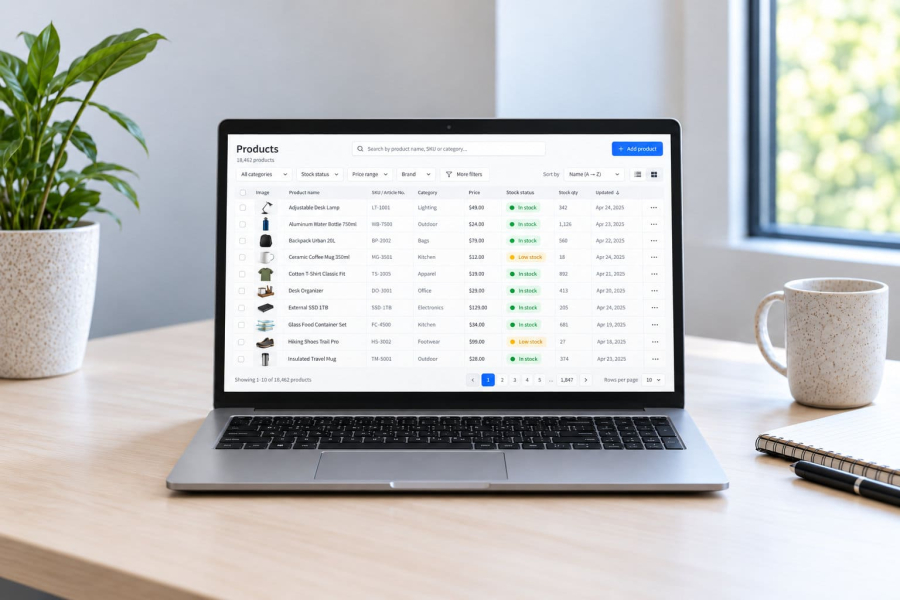
Admin must be designed for bulk work
With 20,000 or 100,000 products, you can't design the admin as if each item is edited individually.
You need proper search, filtering, bulk edits, and imports.
Admins should be able to quickly find the product group they need and perform bulk operations without opening hundreds of cards.
Otherwise, even a technically correct catalog remains awkward to work with daily.
How we manage large catalog updates
One thing we establish from the start is a rigid product-to-ID binding.
This ensures the system always understands exactly which item to update, even if the product moves to another category, its name changes, or other parameters shift.
It also protects against duplicates during routine updates: the system finds the product by ID and works with that specific item.
But with large inventories, that's not enough.
Just as important is avoiding processing the entire database every time information changes for just a portion of products.
For example, if your catalog has 20,000 items and prices changed for 300, there's no reason to reprocess all 20,000.
Only the necessary 300 products are updated.
Similarly, there's no need to rewrite the entire card each time. In most stores, price and availability change most frequently. Names, attributes, descriptions, and photos update much less often.
So the system changes only fields that actually have new data.
This approach is especially valuable for catalogs with tens of thousands of items and becomes even more critical for stores with 100,000+ products that we've also worked with.
Instead of bulk database rewrites, we perform targeted updates only on necessary records and fields.
The result: fewer database operations, reduced server load, and faster updates.
For users, this process typically remains completely invisible—the store runs normally while needed data updates happen in the background.
This is a good example of why, with large catalogs, system logic matters just as much as server power.
What to plan before bulk launch
If I were to condense this approach into a short sequence, I'd start with these:
- Define data sources and stable IDs.
- Design categories and attributes.
- Establish product creation and update rules.
- Plan filters, search, and URLs.
- Set up controlled imports.
- Test performance on realistic volume.
- Prepare admin for bulk operations.
- Separately review SEO logic, sitemaps, and feeds.
In large catalogs, most serious problems arise not from the number of products, but from decisions that weren't thought through before bulk importing.
The order may vary depending on your store, but fundamental data questions should be resolved before tens of thousands of products enter your system.
Large catalogs must remain manageable
A catalog with 20,000, 50,000, or even 100,000+ products isn't inherently problematic. What matters far more is how its technical foundation is built: data structure, imports, targeted updates, filters, search, and database operations.
These are the things to plan during web development if your ecommerce store is designed for a large or growing product range.
It's far harder to work with even a small catalog if it has chaotic categories, duplicate attributes, unreliable imports, or updates that create unnecessary system strain.
A good catalog is a system where new products can be safely added, existing ones precisely updated, data can be controlled, and customers can quickly find what they need.
When this logic is built correctly, your catalog can grow further without constantly rebuilding the entire store.